How to Automate High-Volume Service Item Creation for Faster Service Catalog Deployment June 19, 2013 No Comments

The big challenge in the outsourced service provider world  (as well as for internal shared services groups) is quickly delivering customer value by offering specific managed service items faster and more cost effectively than competitors.  If  it’s taking months to on-board new customers and roll out new services, there is probably a competitor who can do it in weeks.  That cries out for an automated strategy of creating  reusable and transportable service items (prepackaged forms and processes) that can be deployed in any customer environment in a fraction of the time it once required to set up each customer’s system individually.

Fortunately, many of these services are similar from company to company and requirements are often well defined in spreadsheets and other formats. That makes automation a natural. The best way we know of to do this is to pump up with KURL.

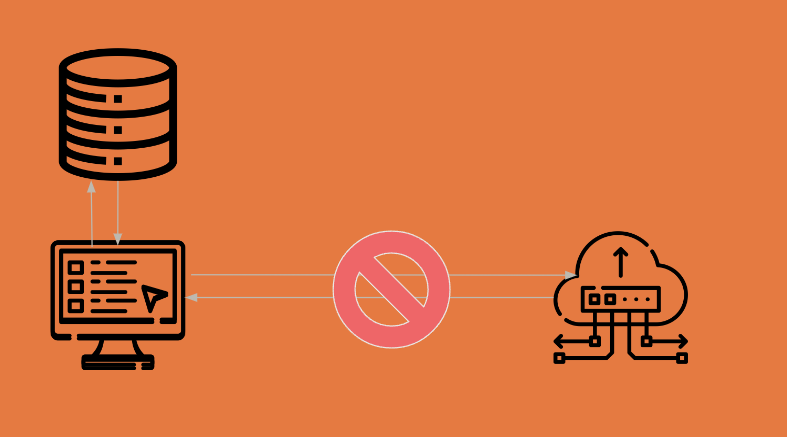
Automated Service Item Creation with KURLKURL?  It stands for the Kinetic Uniform Request Language, which is a domain-specific language developed by Kinetic Data to provide an alternative approach to creating service items in Kinetic Request and Kinetic Task.  KURL works by parsing spreadsheet data or HTML code into KURL text files and then by executing that parsed data into KURL codes to automatically generate new service items for service catalogs.

In this manner, KURL can automatically generate thousands of service items defined in spreadsheets programmatically, as opposed to configuring services items individually.  It is especially useful when the creation of simple service items is driven by volume.  And because KURL files are portable, transferable and shareable from company to company and catalog to catalog, service providers can easily create large volumes of service items with automated workflows for any number of customers.

One large international electronics firm used KURL to create over 2,000 service items in just a couple of weeks.  Another Kinetic Data customer won a multi-billion dollar government contract by demonstrating how KURL could easily create customized service “storefronts” for multiple federal agencies.

What can KURL do for you?  Users tell us that KURL means:

•  Faster customer on-boarding for shorter time-to-value and higher customer satisfaction.

•  Higher profitability, since service items can be rolled out to multiple customers for a fraction of the cost of setting up customers individually.

• The ability to  deliver service items to industry verticals without requiring in-depth IT expertise.

And for internal shared-services organizations, an automated strategy using KURL can deliver higher demonstrable value to the enterprise by making service requests more easily and efficiently fulfilled.

Learn more by downloading this recent white paper on how to pump up with KURL.

Delight Customers and Slash Costs with Enterprise Request Management June 11, 2013 No Comments

In most large enterprises today, shared services are delivered through functional silos: IT provisions equipment and software access, HR manages PTO requests and new-hire processes, Facilities manages space planning and allocation, etc.

If you need one of those services, you work with that group’s systems. If you need multiple services—for example, to reserve workspace, hire staff, and install phones and computers for a project—you’ll likely have to work with multiple systems, obtain multiple approvals, manually schedule tasks, and juggle all of the pieces to coordinate activities with target dates.

Manual Request Management


It all makes complete sense from the standpoint of each individual department. Internally, they may even have optimized certain standard processes (e.g., ordering and provisioning a laptop). Each department is well-versed in and very efficient at using its own software.

The problem is, these processes often make no sense from the standpoint of the (external or internal) customer. How do you determine which group delivers the service you need? (It’s not always obvious.) Why do you have to learn and use different systems to make simple requests? Manually ask for approvals (and create reminders to follow up if an approval isn’t obtained promptly)? Who decided that the “standard” delivery time for a new laptop was X number of days? And for requests that cross departmental lines—why do you have to enter the same information into multiple applications or online forms?

In actuality, those “optimized” intradepartmental tasks often entail processes that waste time, cost more than necessary, frustrate customers, and lead to error-prone duplicate manual data entry. The customer is forced to consciously and actively manage the process, when all they really want is to place a request and receive a service.

Enterprise request management (ERM) is a better approach to managing service requests and fulfillment. In the ERM model, customers can request any type of enterprise shared service (including, most importantly, services that span different functional groups) from a single, intuitive web-based and mobile-friendly portal interface. One front end to use regardless of the type of request, with little to no training required.

The portal routes the request to an automated task management “backbone” application that can automatically manage approvals, scheduling, and fulfillment by securely communicating with and between existing departmental software systems. No one on the service delivery side has to give up the software they are accustomed to or make major investments in implementing and learning new systems.

Enterprise Request Management Approach

Information is entered once, validated, then shared as needed between federated data sources. This saves time, reduces customer frustration, and virtually eliminates errors, enabling consistent first-time fulfillment. Elapsed time, costing, user satisfaction and other reporting elements are automatically logged throughout the process.

This approach also provides complete visibility into the status of a request at any time (similar to online package tracking), so the customer never has to call or send an email to find out “where things are at.” Instead of asking “how long does it take to get a new laptop?” managers can ask “how long should it take?”

The end result is a delighted customer, who now has a single intuitive interface for requesting services and checking on delivery status, and who gets services delivered promptly and accurately and with less effort. The enterprise saves time, reduces the cost of service delivery, and eliminates data errors and rework through automation. Visibility into processes supports continuous process improvement.

To learn more about the ERM approach, download the whitepaper Enterprise Request Management: An Overview.

How Forrester’s Smart Process Apps Fit with Enterprise Request Management May 20, 2013 No Comments

Forrester Research recently published a report titled Smart Process Applications Fill A Big Business Gap. The title is certainly apt, since smart process apps as Forrester defines them are essentially specific business process workflows modeled in an enterprise request management (ERM) framework.

The analysts define smart process apps (SPAs) as “a new category of business application software designed to support processes that are people-intensive, highly variable, loosely structured, and subject to frequent change. Smart process apps fill the gap between systems of record and systems of engagement by automating both structured and unstructured work activities in support of collaborative processes.”

Task Map for an Employee Onboarding ProcessBreaking that down, an SPA is essentially software “plumbing” that enables functional department managers (in IT, HR, facilities, accounting, operations or other areas) to define business process flows, then manages those flows to accomplish a specific task (which can be as simple as changing a user’s security access settings or as complex as onboarding a new employee).

Because such processes are “subject to frequent change,” the SPA must make it easy to modify existing workflows as well as create new ones. Because the processes are collaborative, the SPA must be able to communicate with and between people through “systems of engagement” (online forms, intranet applications, or request management software like Kinetic Request) and “systems of record” (federated enterprise systems such as ERP software, financial and reporting applications, HR suites, email systems, etc.).

The Forrester report further states that “SPAs increasingly incorporate BPM (business process management)…mobile development frameworks…(and) business rules package integration”—all of which sounds much like the Kinetic Task workflow automation software engine—as well as “complex event management” (a function of the Kinetic Calendar online calendar tool).

Among the characteristics of such software, the report authors include, “SPAs make processes easier for employees to comprehend and interact with.” Within the context of ERM, the software should enable employees to not only easily request a business service but also to monitor the status of that request (much like online package tracking offered by major shippers); it should also make it easy for managers to create, review and adjust the processes required to fulfill the service request. In addition, SPAs will incorporate “advanced analytics (that) deliver just-in-time insight within context.” In an ERM strategy, the underlying system collects and reports on metrics regarding process and sub-task completion times and costs to support continual improvement.

Finally, the Forrester report predicts that “The next generation of packaged process applications will encapsulate…process models in these collaborative business processes yet make it possible for business people to modify the app to reflect continuous improvement in how collaboration, engagement, and interaction can occur.” The “next generation” of applications may or may not do these things—but Kinetic Task does much of this today.

Want to learn more? Download this white paper on our approach to enterprise-wide holistic  business process automation (BPA).

How Innovating IT Practices Leads to Happier Employees May 15, 2013 No Comments

Everyone wants to work in an environment where they feel good about their jobs. And every CEO wants the organization’s employees to recommend the firm to others as a great company to work for and do business with. Now, findings from Forrester Research quantify the pivotal role that IT plays in supporting these outcomes.

According to Forrester, in companies where employees are advocates ” for their business as a place to work and as a place to do business,” 65% say they are satisfied with the service they receive from their IT departments. In contrast, just one-quarter of unhappy, non-advocate employees are satisfied with their IT groups.

How IT Innovation Leads to Happy EmployeesFurthermore, significant majorities of advocate employees:

  • Report they are satisfied that their IT departments understand their technology needs and what they need to be successful in their jobs.

  • Say they “have access to technology and tools to solve their problems and challenges.”

  • Feel encouraged to solve customer and business problems.

  • Are active users of collaboration and communication tools.

Clearly, as even Forrester points out, there are many other factors that affect employees’ overall work satisfaction and advocacy (corporate culture, policies, work environment,  compensation), but the correlation with IT support is nonetheless significant.

So how can IT managers help create a positive environment of employee advocacy? Here are three key tactics:

  • Help business managers use technology to automate common processes and solve business problems. Ideally, IT should provide departmental / business function managers with easy to use tools to create their own automated task workflows, with minimal IT assistance.
  • Give employees a single web (and mobile) portal to request any type of service. Ultimately, employees don’t care whether a specific request gets fulfilled by IT,  or HR, or facilities, or through coordination between different departments, and they don’t want to have to request different services from different systems and user interfaces.
  • Deliver services the way that users want them. Contrast the typical IT help desk queue approach with the user-friendly experience of Apple Genius Bars, particularly for remote users and road warriors. Enabling users to schedule an appointment online rather than wait in a queue, particularly for complex-but-not-urgent service requests, reduces stress for IT professionals and business users alike.

Trends like bring-your-own-device (BYOD) and an increasingly mobile workforce are creating new challenges for IT departments. But given their importance in employee satisfaction and advocacy, it’s crucial for technology groups to embrace new approaches that both enhance productivity and delight business users.

For more information, check our white papers Say Goodbye to the IT Service Management Queue and Business Process Automation Anywhere and Everywhere.

Upcoming Webinar: The Enterprise Request Management Approach to Reducing the Cost of Service Delivery May 9, 2013 No Comments

In survey after survey conducted by leading business publications and analyst firms, executives consistently rank “making business processes more efficient” and “improving the customer experience” among their top priorities. Yet organizations continue to struggle with inefficiencies and customer satisfaction issues.

Business process automation (BPA) software can help–but it’s only a tool. If processes themselves aren’t engineered to optimize the customer experience, the result is simply that broken processes get completed more quickly. Enterprise Request Management (ERM) is a strategy geared towards improving service, while reducing the cost of delivery in an scalable and risk-managed approach.

What’s needed is a different approach to managing service requests and delivery, an approach that:

  • makes it easy for customers (whether internal or external) to request services of any type from a single, intuitive interface (with the simple elegance of websites like Amazon.com);
  • enables business managers to define and continually refine their own automated processes and task workflows, with minimal assistance from IT;
  • leverages investments in existing enterprise software systems and federated data sources–while hiding the complexity from users; and
  • automates approvals, scheduling, costing, and reporting to support continuous process improvement.

You can learn more about the ERM approach in the upcoming webinar on May 22nd at 2:00 EDT. If delighting customers while decreasing service delivery costs sounds appealing, register for this webinar today!